JPG vs PNG: Which Image Format Is Best?
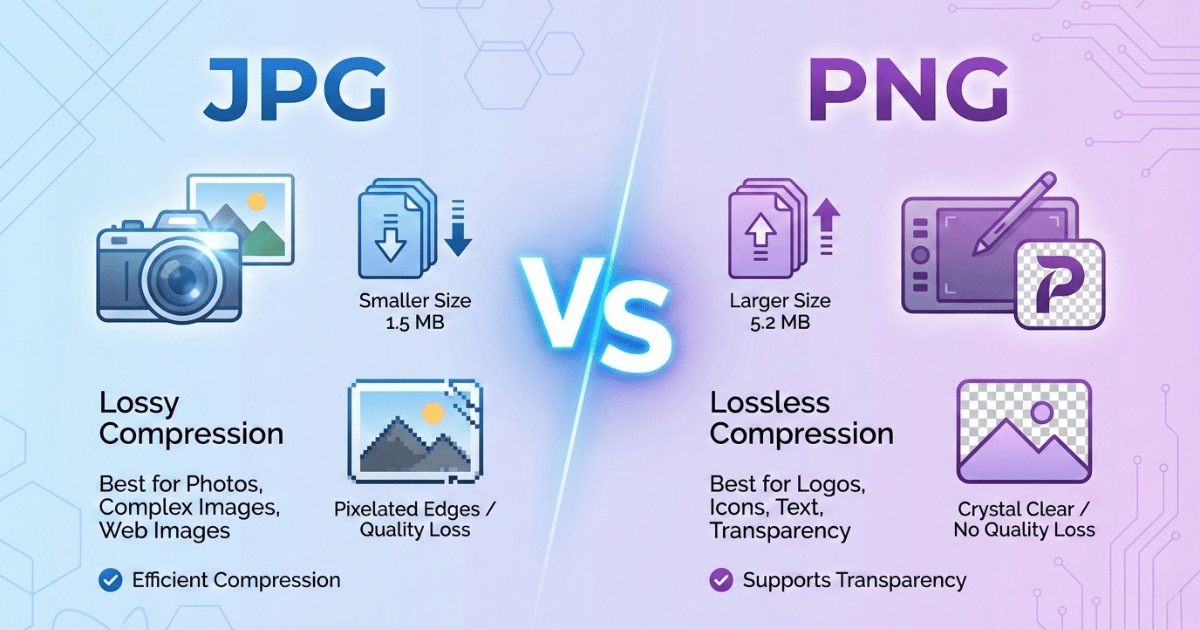
Should You Pick JPG or PNG?
Choosing between these two file formats can be confusing. You might not know about the difference.
Don't worry, we'll give you an answer to your questions and also guide you to the best format for you. These two image formats have their own advantages and disadvantages. However, the best file type for you will depend on how you plan to use it.
JPGs consume less space and load instantly, while PNGs offer high-quality compression. The choice between JPG (or JPEG) and PNG plays a key role in how you edit, share, print, and archive your images.
This guide breaks down both image formats to help you understand when and why to use each one.
TL;DR
Choosing between JPG and PNG depends on how you plan to use your image.
JPG uses lossy compression, making files 50-80% smaller and perfect for photographs, websites, and situations where fast loading and storage space matter. However, the quality slightly decreases each time you edit and save.
PNG uses lossless compression, preserving full image quality even after multiple edits. It also supports transparency, making it ideal for logos, graphics, screenshots, and design elements.
For web use:
- Use JPG for photos and large visual content.
- Use PNG for logos, icons, text-heavy graphics, and transparent backgrounds.
For editing or archiving: choose PNG. For speed and smaller file size: choose JPG.
PNG vs JPG: Quick Comparison
| Feature | JPG | PNG |
|---|---|---|
| Compression | Lossy | Lossless |
| File size | Smaller | Larger |
| Transparency | No | Yes |
| Best for | Photos | Graphics, logos |
| Editing | Quality degrades | Quality preserved |
| Printing | RGB only | RGB only |
📷 The JPG Format: Makes Large Files Much Smaller
JPG or JPEG stands for Joint Photographic Experts Group. It was created back in 1992 when internet connections were slow, and people needed a way to share photos without waiting forever. When images are converted to a JPG using an image converter tool, quality is compromised due to lossy compression.
JPG permanently removes some image data to shrink the file size. However, JPG files can be significantly smaller than PNGs, making them ideal for many use cases. For most landscape and photographic images, JPG is usually the better choice, especially when file size matters.
Smaller files load faster, take up less storage, and are easier to share. Beyond saving an image as a JPG, you can use additional image compression tools to reduce the file size even further.
This is especially beneficial for web images, where faster loading speeds directly improve user experience and SEO.
Key benefits of the JPG format
- Smaller file sizes: JPGs can be 50-80% smaller than equivalent PNG files.
- Faster website loading times: Smaller files mean quicker page loads.
- Works everywhere: Every device, browser, and image program supports JPG.
- Perfect for photographs: The compression algorithm was specifically designed for photos with gradual color transitions and natural textures.
- Takes up less storage space: Whether it's your hard drive or web server, JPGs let you store more images in less space.
🎨 The PNG Format: Better Image Quality and Transparency
PNG stands for Portable Network Graphics. It was designed in 1994 as an improvement over the older GIF format, and it delivered on that promise. The key difference between JPG and PNG is lossless compression.
PNG keeps all your original image data intact. Edit it a hundred times, save it over and over, and the quality stays exactly the same.
PNG also handles something JPG simply cannot, which is transparency. If you need a logo that sits cleanly on any colored background without that ugly white box, PNG is your only option.
Key Benefits of the PNG Format
- Lossless compression preserves every detail: What you see is what you get, no matter how many times you edit and save the file.
- Supports transparent backgrounds: Clear backgrounds, drop shadows that fade naturally, semi-transparent watermarks, and PNG handles all of it.
- Perfect for logos, icons, and graphics: Anything with sharp edges, clean lines, or text looks noticeably crisper as a PNG.
- No quality loss when editing repeatedly: Unlike JPG, you can open, tweak, and save a PNG endlessly without degradation.
- Handles text and line art crisply: Screenshots, diagrams, and graphics with fine details stay sharp and readable.
What Are the Differences Between JPG and PNG Files?
Let's break down the main differences that actually matter for your work.
Lossy vs. Lossless Compression
This is the fundamental difference between JPG and PNG. JPG uses lossy compression. It analyzes your image, identifies details your eyes probably won't miss, and permanently deletes them. The file gets smaller, but that data is gone forever.
Every time you save a JPG, it compresses again. Open a photo, make a small edit, and save it. Repeat this five times. By the end, you'll notice the image looks less sharp. Colors become slightly off, and edges get fuzzy.
PNG uses lossless compression. It finds efficient ways to store image data without throwing anything away. The file might be larger, but you can edit and save it as many times as you want without losing quality.
File Size
JPGs are typically 50-80% smaller than equivalent PNG files. For a single image, that might not matter much. For a website with numerous photos, it matters a lot. Smaller files mean faster page loads, which means happier visitors and better search rankings.
PNGs, on the other hand, usually result in larger file sizes due to their lossless compression. While this ensures better image quality, it also means the files can take longer to load on websites.
Transparency
This one's simple. JPG doesn't support transparency. If your image has transparent areas, JPG fills them with a solid color, usually white. You'll end up with an ugly box around your logo.
If you need to remove an image's background, PNG is the ideal format because it supports transparency. This makes it especially useful for web design and digital graphics, where images must blend seamlessly with different backgrounds.
PNG supports full transparency. Clear backgrounds, drop shadows that fade naturally, semi-transparent watermarks, PNG handles all of it. If you need layered graphics, PNG is the only choice.
So, Should You Pick JPG or PNG?
Here's a practical breakdown based on what you're actually trying to do.
PNG vs JPG for Editing
Use PNG for editing workflows. Since PNG doesn't lose quality when you save, it's the right format for any image you plan to edit multiple times. Keep your working files as PNG, then export to JPG for final web use if needed. If you edit JPGs repeatedly, quality degrades with each save cycle. Start with high quality, and you might end up with a fuzzy mess.
PNG vs JPG for Archiving
PNG is better for archiving important images. If you're storing photos or graphics long-term and might need to edit them later, PNG preserves everything. JPGs work fine for casual storage, but the quality will degrade if you open and save them repeatedly.
JPG vs PNG for Printing
Neither is ideal for professional printing. Here's something many guides skip over: both JPG and PNG only support RGB color mode. Professional commercial printing, think tote bags, posters, business cards, uses CMYK color mode.
If you need truly print-ready files, you'll want TIFF, PDF, or PSD formats that support CMYK. For home printing or basic print jobs, PNG gives you slightly better quality. But for serious print work, neither format is the right tool.
PNG vs JPG for Web Content
Use JPG for photographs on your website. Blog photos, product images, hero banners with photography, JPG handles these perfectly. The smaller file sizes mean faster loading, and the quality difference is invisible to most visitors.
Use PNG for graphics, logos, and screenshots. Anything with sharp edges, text, or transparency needs PNG. Logos, icons, infographics, charts, UI elements, these all look noticeably better as PNGs. For e-commerce, you might need both: JPG for lifestyle photos and PNG for product cutouts on transparent backgrounds.
Common Questions About PNG and JPG
Is PNG better quality than JPG?
PNG maintains exact original quality because of lossless compression. JPG sacrifices some quality for smaller file sizes. For photographs, JPG quality is usually good enough. For graphics and logos, PNG is noticeably sharper.
Does converting PNG to JPG reduce quality?
Yes. Converting from PNG to JPG applies lossy compression, permanently removing some image data. Keep your original PNG if you might need the full quality later.
Can I use PNG for photos?
You can, but files will be much larger with minimal visible benefit. JPG compression was designed specifically for photographs—it's the right tool for that job.
Why does my JPG look blurry?
Either the compression level was set too high, or the image has been saved multiple times. Each save cycle removes more data. If you need to edit often, work with PNG and only export to JPG when finished.
Related Tools
Image Converter
Convert between all formats
Image Compressor
Reduce file size in any format
Background Remover
Remove backgrounds from any format
Image Upscaler
Enhance resolution before converting
All free. All privacy-focused. Built for real people.