What is Image Compression and How Does It Work?
The Slow-Loading Image Problem
Have you ever visited a website and watched an image load slowly, line by line, from top to bottom? It's frustrating for users as they are not interested in even waiting for a few seconds. They'll just click back.
The problem is usually with uncompressed images.
While we all love high-resolution photos, they come with massive file sizes that slow down websites and fill up storage. That's where image compression comes in. But you might be wondering: what exactly is it? Is it just deleting parts of your photo? And how does it make a file smaller without turning it into a blurry mess?
In this guide, we'll break down exactly what image compression is, how it works, and the real difference between lossy and lossless formats.
What Is Image Compression?
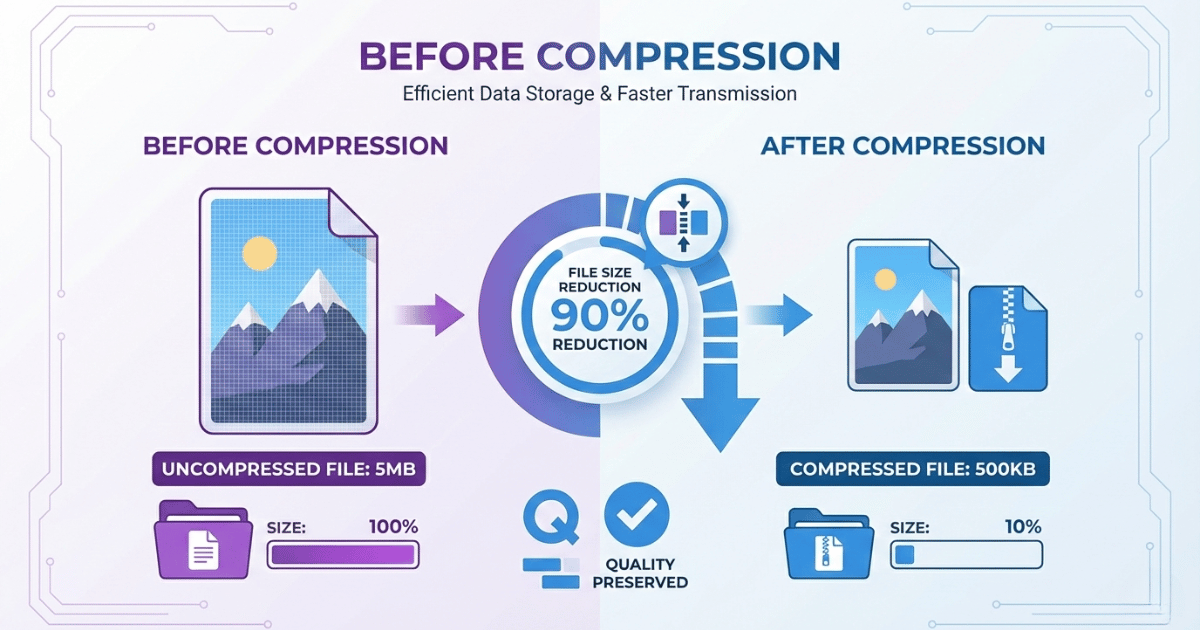
Image compression is a process that makes image files smaller. It most often works either by removing bytes of information from the image or by using an image compression algorithm to rewrite the image file in a way that takes up less storage space.
Compressing an image is an efficient way to ensure that the image loads quickly when a user interacts with a website or application. It is an important part of image optimization.
To understand how this happens, you have to look at how computers see images. To a computer, a photograph isn't a picture; it's a grid of colored pixels. In an uncompressed file, the computer stores a specific color code for every single pixel in that grid. Compression works by identifying and eliminating redundancy.
Example: Take a photo of a clear blue sky. In that image, thousands of adjacent pixels are the exact same shade of blue.
- Uncompressed file: Writes "Blue" thousands of times
- Compressed file: Records "Repeat this specific blue for the next 1000 pixels"
This allows the file size to drop while the image looks exactly the same to the human eye.
Lossy vs. Lossless Compression: What's the Difference?
Not all compression is created equal. There are two main strategies, and choosing the wrong one can either ruin your photo quality or fail to save any meaningful space.
| Feature | Lossless Compression | Lossy Compression |
|---|---|---|
| Data Quality | 100% Original maintained | Slightly degraded (mostly invisible) |
| File Size Reduction | Low (creates larger files) | High (creates smaller files) |
| Reversibility | Reversible | Irreversible |
| Best Use Case | Text, Logos, Icons, Screenshots | Photos, Portraits, Backgrounds |
| Formats | PNG | JPG, WebP |
🗜️ Lossless Compression - The Zip File Approach
Lossless compression reduces file size without losing a single piece of data. When you uncompress the file, it is restored to its exact original state, bit-for-bit.
- How it works: It rewrites the data more efficiently but keeps everything intact.
- Best for: Images with sharp edges, text, logos, and graphics.
- Common formats: PNG, GIF, BMP.
⚡ Lossy Compression - The Smart Trip Approach
Lossy compression permanently removes data that the human eye is unlikely to notice. It approximates colors and smooths out details. It might merge two very similar shades of green into one. Once compressed, you can never get that original data back.
- Best for: Photographs, complex web images, and real-world scenes.
- Common formats: JPEG, WebP, and HEIC.
- Size reduction: Massive reductions (up to 80-90%), but compress too much and you'll see artifacts.
How Image Compression Works: The Algorithms
Let's look at three common techniques generally used in formats like JPEG and PNG.
1. Run-Length Encoding (RLE)
This is the simplest form of compression, often used in lossless image formats like BMP or simple PNGs.
Imagine a row of pixels:
Black, Black, Black, Black, Black, White, White
That takes up 7 slots of data. RLE compresses it to "5 Black, 2 White." Now it only takes up 2 slots.
This is incredibly effective for simple graphics like cartoons or logos, but terrible for photographs where every pixel is a slightly different color.
2. Discrete Cosine Transform (DCT)
DCT breaks an image into blocks (usually 8×8 pixels) and converts them into "frequencies." It assumes that human eyes are good at seeing large shapes (low frequency) but bad at seeing tiny, high-frequency details.
The algorithm keeps the important low-frequency data and simply discards the high-frequency noise. This is why JPEG essentially "simplifies" an image to save space.
3. Chroma Subsampling
Our eyes are evolutionarily wired to see brightness (Luma) much better than color (Chroma). Chroma subsampling takes advantage of this by keeping the brightness information perfect but lowering the resolution of the color information.
You rarely notice the difference, but the size drops dramatically.
Why Is Image Compression Important?
Google cares about one thing above all else: User Experience. And nothing hurts experience like a slow website.
Page Load Speed
Images are usually the heaviest part of a webpage. Compressing them is the single most effective way to speed up a site.
Core Web Vitals
Google specifically measures "Largest Contentful Paint" (LCP), which is often the main image on your page. If that image is 3MB, your LCP score will tank, and so will your rankings.
Bounce Rates
Mobile users on 4G or 5G connections have data caps and varying speeds. If your images take too long to load, they leave.
Storage Costs
If you're hosting thousands of images, cutting their size by 50% cuts your storage bill (and bandwidth bill) by 50%.
Conclusion
Image compression isn't just a technical "nice-to-have," it's a requirement for the modern web. Whether you are a photographer, a blogger, or a business owner, understanding the balance between quality and file size is key.
Always choose the right format (PNG for logos, JPG/WebP for photos) and always compress your images before you upload them.
Frequently Asked Questions (FAQ)
Does compressing an image reduce its quality?
It depends on the type. Lossy compression (like JPG) reduces quality slightly to achieve small file sizes, though often the difference is invisible to the human eye. Lossless compression (like PNG) reduces file size without losing any quality at all.
How does compression save storage space?
Compression algorithms identify patterns in the image data. Instead of storing every single pixel individually, the computer stores a "map" or code that describes the image more efficiently, taking up significantly less disk space.
Related Tools
Image Compressor
Compress images online for free
Format Converter
Convert between all formats
JPG vs PNG Guide
Which format to use when
Image Formats Guide
Complete format comparison
All free. All privacy-focused. Built for real people.