What is Image Upscaling and How Does It Improve Image Quality
Learn what image upscaling is, how it works, and how it improves image quality. Complete guide to upscaling methods, use cases, benefits, and limitations.
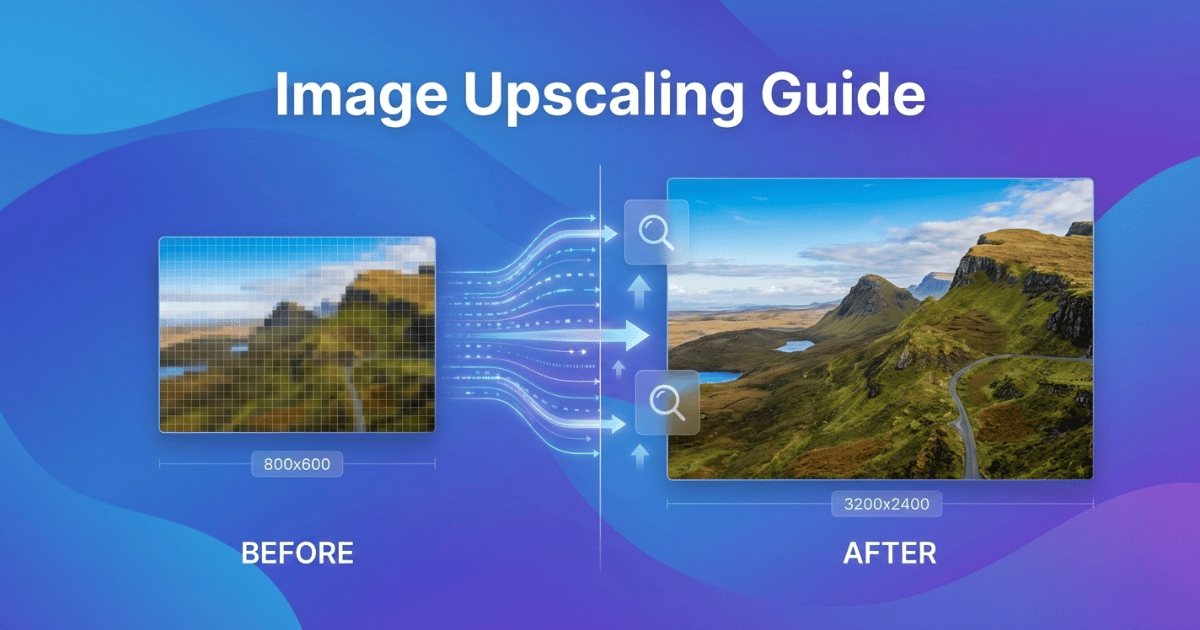
Have you ever pulled out an old family photo, excited to finally get it printed as a large canvas, only to realize it looks like a pixelated mees once you zoom in?
The good news is that there's a solution that doesn't require expensive camera equipment or professional photography skills. It's called image upscaling, and it's changing how people work with photos every day.
In this guide, we'll break down exactly what image upscaling is, how the upscaling process works, and how it can help you increase image resolution while keeping your photos sharp and detailed.
What is Image Upscaling?
Image upscaling is the process of increasing an image's dimensions, its width and height, to make it larger while trying to maintain image quality. Upscaling is about enlarging images smartly, so they don't fall apart visually.
Every digital image is made up of tiny colored squares called pixels. When you zoom into a small photo, you start seeing those individual pixels, which is why things get blocky or blurry. When you upscale an image, the process adds more pixels to fill in the gaps, creating a larger, higher-resolution image that looks smooth and natural.
Common Use Cases of Image Upscaling
You might be wondering, "Why not just take a high-quality photo in the first place?" But we don't always have that option.
Here are some common situations where image upscaling becomes useful:
- Printing old photos: Those scans of grandma's wedding photos from the 1960s weren't exactly shot in 4K. Image upscaling lets you print them at larger sizes without looking like a blurry smudge.
- Converting web images: Found the perfect stock photo online, but it's only 800 pixels wide? Print that on a poster, and you'll see every jagged edge. Upscaling can help you increase resolution for better printing quality.
- Restoring low-resolution images: Old product photos, vintage marketing materials, or even screenshots from years ago, upscaling gives them new life by improving image quality.
- Social media and marketing: Platforms keep changing their image requirements. What looked great on Instagram three years ago might need a resolution boost today.
- Personal projects: Creating custom wallpapers, printing photo books, or framing sentimental pictures, these aall benefit from higher image resolution.
How Does Image Upscaling Work?
At its core, the image upscaling process means adding new pixels to an image. But the real challenge is figuring out what color those new pixels should be. Different upscaling methods handle this in different ways.
Traditional Upscaling Methods
Before modern technology stepped in, we relied on interpolation methods, basically, mathematical formulas that look at existing pixels and guess what the new ones should look like.
1. Bilinear interpolation checks the four nearest pixels and averages their colors to create a new one. It's simple, fast, but often produces soft, slightly fuzzy results when you try to enlarge images significantly.
2. Bicubic interpolation goes a bit further, analyzing 16 surrounding pixels for a smoother blend. Most photo editing software uses this as the default method to upscale photos.
3. Nearest-neighbor interpolation is the most basic option; it just copies the closest pixel. This creates that classic "blocky" retro look, which works for pixel art but not much else.
These traditional methods are fast and don't require powerful computers. But the main drawback is that they can't create details that didn't exist. They are just stretching what's already there, which often results in blurry images.
Modern Image Upscaling Technology
Modern upscaling tools use pattern recognition to analyze images differently. Instead of just averaging colors, those methods understand the content of an image, edges, textures, faces, text, and make smarter decisions about how to improve image quality.
These tools are trained on millions of images, learning what makes a sharp eye look different from a blurry one, or how fabric textures should appear at higher resolutions. When you run a photo through one of these tools, it's reconstructing the image based on patterns it recognizes.
The results? Often much better than traditional methods. Details that seemed lost can reappear. Blurry faces become clear. Text becomes readable again. This is how modern upscaling improves image quality in ways older methods simply couldn't.
Some tools take this even further, actually generating new details that plausibly could have been in the original image. This can produce great results for those looking to improve photo quality for printing or display.
How Image Upscaling Improves Image Quality
Let's talk about the specific ways upscaling helps your photos and graphics.
Create Sharper, High-Resolution Images
The most obvious benefit. A well-upscaled image looks crisp and professional, not soft and pixelated. This matters whether you're printing a photo for your living room wall or using an image in a professional presentation.
Improves Print Quality
Resolution is everything in printing. An image might look fine on your phone screen, but printers need much higher resolution to produce clean results. Image upscaling bridges that gap, letting you print at larger sizes without sacrificing quality.
Increases Image Versatility
Once you've upscaled an image, you can use it for more purposes. That small logo can now go on a billboard. That old product can be featured in a new catalog. You're no longer limited by the original file's dimensions.
Restores Old and Low-Resolution Photos
Old family photos, vintage vacation snapshots, and scanned documents often exist only in low resolution. Upscaling lets you improve image quality and display them in ways that weren't possible before, without the graininess that makes them hard to appreciate.
Helps with Professional Presentation
Whether it's a business proposal, a portfolio, or a social media post, high-quality images signal professionalism. Blurry, pixelated photos send the opposite message. Upscaling helps your visuals meet modern standards.
Limitations of Image Upscaling
Upscaling isn't magic, and understanding its limits helps you use it more effectively.
Original Image Quality Matters
No matter how good the upscaling method is, it can't create information that was never there. If your original image is extremely blurry or only 50 pixels wide, even the best tools can only do so much. Starting with a reasonably clear source always gives better results when you upscale images.
File Size Increases
Bigger dimensions mean bigger files. A 500KB image might become 5MB after upscaling. This matters for storage space, website loading times, and email attachments. Keep this in mind when working with multiple images.
Processing Takes Time
Advanced upscaling methods require more computing power. While basic interpolation happens almost instantly, smarter tools might take several seconds, or even minutes, per image, depending on your hardware.
Added Details May Not Be Original
Some upscaling tools add details that look realistic but weren't in the original. For most uses, this is a feature, not a bug. But for legal documents, scientific images, or forensic purposes, it might be a concern.
Results Vary by Image Type
Some images upscale well landscapes, portraits, and product photos. Others are trickier, fine text, complex patterns, or images with lots of noise. Knowing what to expect helps you choose the right approach.
How to Get the Best Image Upscaling Results
Based on real experience working with various photos and upscaling tools, here are some practical tips:
- 1. Start with the best quality you have. If you have multiple versions of the same image, always work with the highest resolution one. Upscaling a 1000px image will give better results than upscaling a 200px version.
- 2. Know your end goal. Are you printing on a small frame or a giant billboard? The amount of resolution increase you need varies. Don't over-upscale; sometimes 2x is plenty.
- 3. Clean up first, upscale second. If your image has noise, scratches, or color issues, fix those before upscaling. The upscaling process often amplifies existing problems.
- 4. Test on a small section. Before processing a batch of images, try one first. Check the results at full size. This saves time and helps you set realistic expectations.
- 5. Keep your originals. Never overwrite your source files. Always save upscaled versions as separate files. You might need to try different settings or methods.
When Should You Upscale Images?
Image upscaling works well when:
- • You need to convert a web image for printing
- • You're restoring old or vintage photos
- • You're repurposing existing marketing materials
- • The original is reasonably clear, but just needs to be bigger
Upscaling has limits when:
- • The original is extremely low quality or heavily compressed
- • You need pixel-perfect accuracy for technical purposes
- • The image has severe artifacts or damage
Understanding these boundaries helps you make realistic decisions about what upscaling can achieve for your specific needs.
Conclusion: Is Image Upscaling Worth It?
Image upscaling has come a long way from the days of blurry, stretched photos. Today, smart tools can genuinely improve image quality and increase resolution in ways that weren't possible even a few years ago.
Whether you're working with old family memories, professional product shots, or just that one perfect image that's frustratingly small, upscaling offers a real solution. It's not perfect for every situation, but when used thoughtfully, it can save projects, improve presentations, and breathe new life into low-resolution images that would otherwise be unusable.
The next time you find yourself wishing a photo was just a little bit sharper, remember: you've got options. And understanding how image upscaling works puts you in control of getting the results you actually need.
Frequently Asked Questions
What does upscaling an image mean?
Upscaling an image means increasing its size (width and height) by adding new pixels. The goal is to make a small image larger while keeping it looking sharp and clear, rather than blurry or blocky.
Does upscaling improve image quality?
Yes, when done properly. Good upscaling methods can make images look sharper, reduce blur, and add detail that makes photos suitable for printing or larger displays. However, results depend on the original image quality and the method used.
Can you upscale a blurry image?
You can upscale a blurry image, but the results will be limited. Upscaling works best when the original image is reasonably clear. If a photo is already very blurry, upscaling might improve it somewhat, but it can't fully restore details that were never captured.
What's the difference between upscaling and resizing?
Resizing simply changes image dimensions, making it bigger or smaller. Upscaling specifically refers to making an image larger while trying to maintain or improve quality. Basic resizing often creates blurry results, while proper upscaling uses smarter methods to keep images sharp.
How much can you upscale an image?
Most upscaling works best at 2x to 4x the original size. Going beyond 4x often produces diminishing returns, especially with traditional methods. Modern tools can sometimes push to 8x or higher, but quality depends heavily on the source image.
Is upscaling the same as enhancing?
Not exactly. Upscaling focuses on increasing image size, while enhancing covers broader improvements like color correction, noise reduction, and sharpening. Many modern tools combine both, upscaling the image while also improving overall quality.
Ready to Upscale Your Images?
Try Instacut Studio's AI-powered image upscaling tool. Enhance your photos, increase resolution, and improve image quality—all for free!
Upscale Images Now